TrolleyChat · Conversion and Expansion

Answer everyone, immediately.

An AI assistant for live chat on your site, set up for what you actually need it to do: sell products, support customers, or qualify leads and book the call. It answers from your own content and hands off to a person the moment that is the better answer.

The problem

Most companies lose more to slow answers than to anything in their marketing.

Someone lands on your site at eleven at night with one question standing between them and a decision. Nobody answers until the morning, and by then they have gone somewhere else or forgotten why they cared.

Speed to first reply beats almost every clever tactic, and it is the easiest thing on this list to fix.

Three inboxes

Same assistant. Three jobs.

A chat window on a shop and a chat window on a software product are not the same tool wearing different colors. You pick the mode when you set it up, and it changes what the assistant is trying to do.

Product

For ecommerce. It knows your catalog, answers questions about what you sell, and puts the right items in front of someone with prices.

Helpdesk

For in-app and post-sale support. Drop in the widget, or build your own against the guide. It answers from your documentation and raises a ticket when it cannot.

Sales

For lead generation. It engages the visitor, works out whether they are a fit, and books the appointment in the chat rather than sending them to a form.

Product mode

It answers with your actual products.

Not a chatbot reciting a help article. It reads what the person asked, finds what you actually have, and puts it in front of them with prices — then files a ticket if the conversation needs a human to finish it.
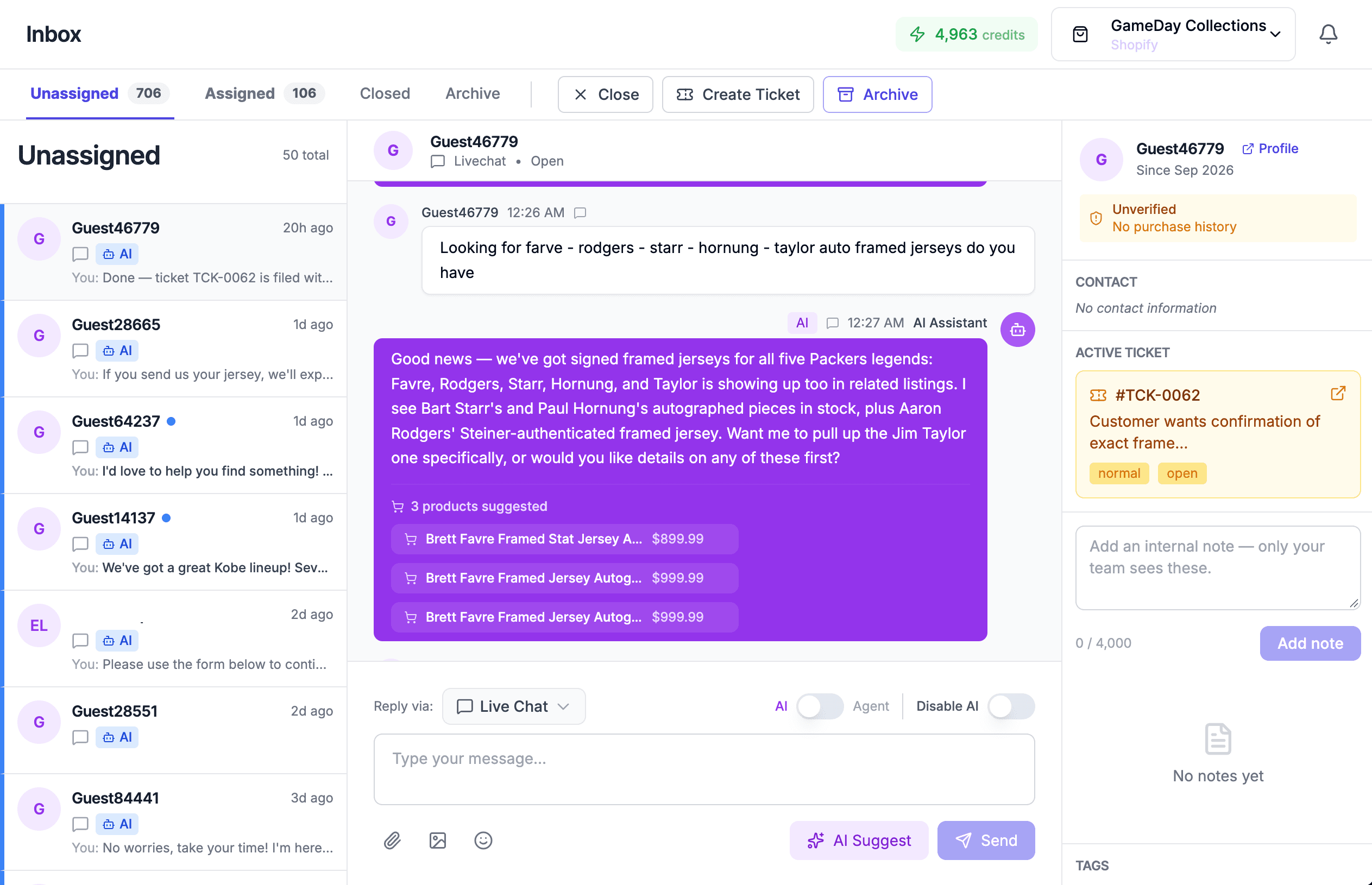
The TrolleyChat inbox. A customer asks about signed framed jerseys and the AI replies naming five specific players in stock, with three suggested products and prices, alongside an open ticket in the sidebar.
A live conversation. The customer asked for five players by name; the assistant answered with what is in stock, suggested three products with prices, and raised a ticket for the part that needed a person.

Before they ask

See who is on the site right now.

Live visitors, what page they are on and how long they have been there. You can open a conversation with someone who is stuck on a product page rather than waiting to see whether they start one.
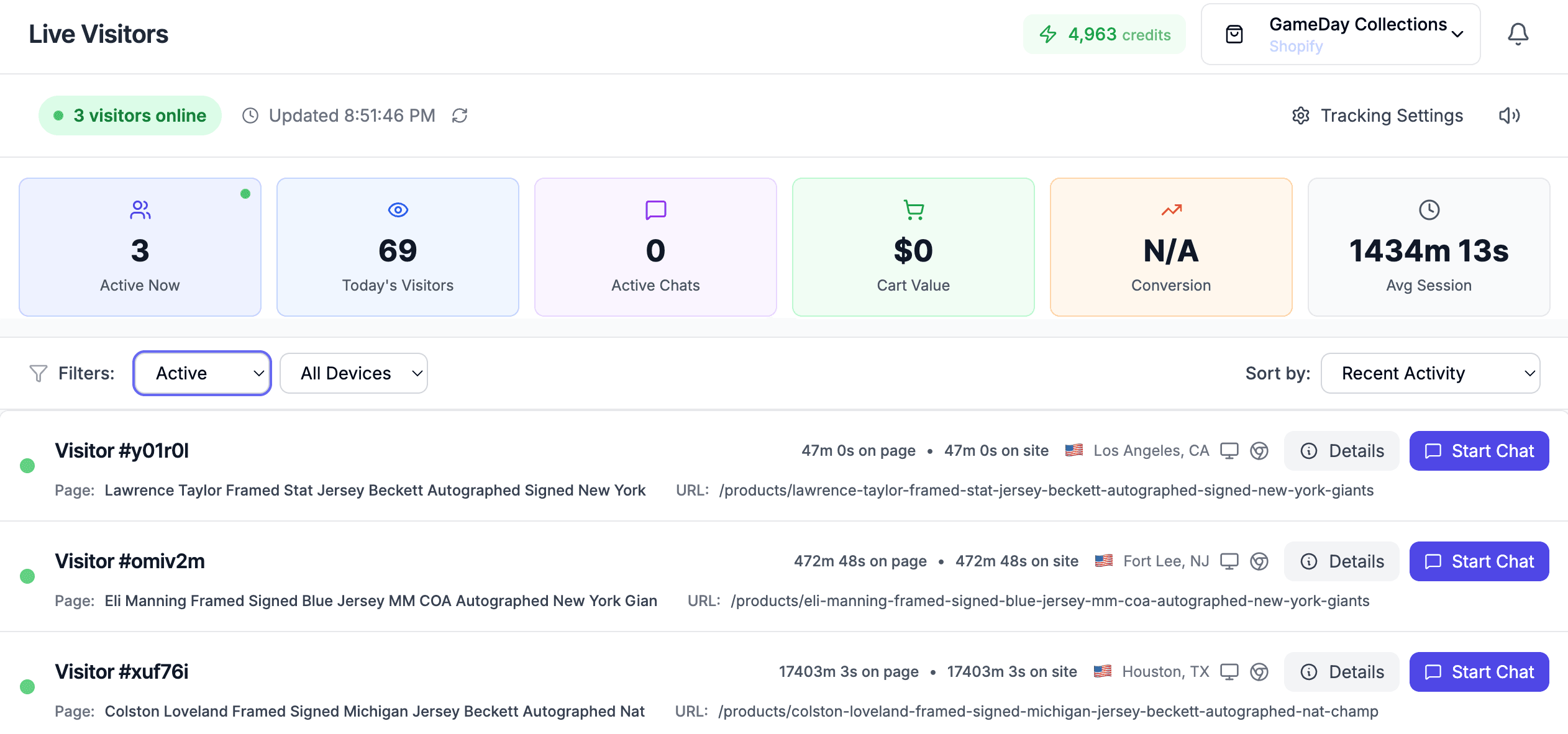
The live visitors view, showing active sessions with the page each is on, time on page, location and a Start Chat button for each.
Anonymous sessions, the page each one is reading, and a way to open the conversation first.

Where the answers come from

Trained on your content, not the internet.

Point it at your documentation and it reads the pages, splits them into sections and keeps them current on a schedule. An answer taken from a page can link back to it, so a customer can check the source and so can you.
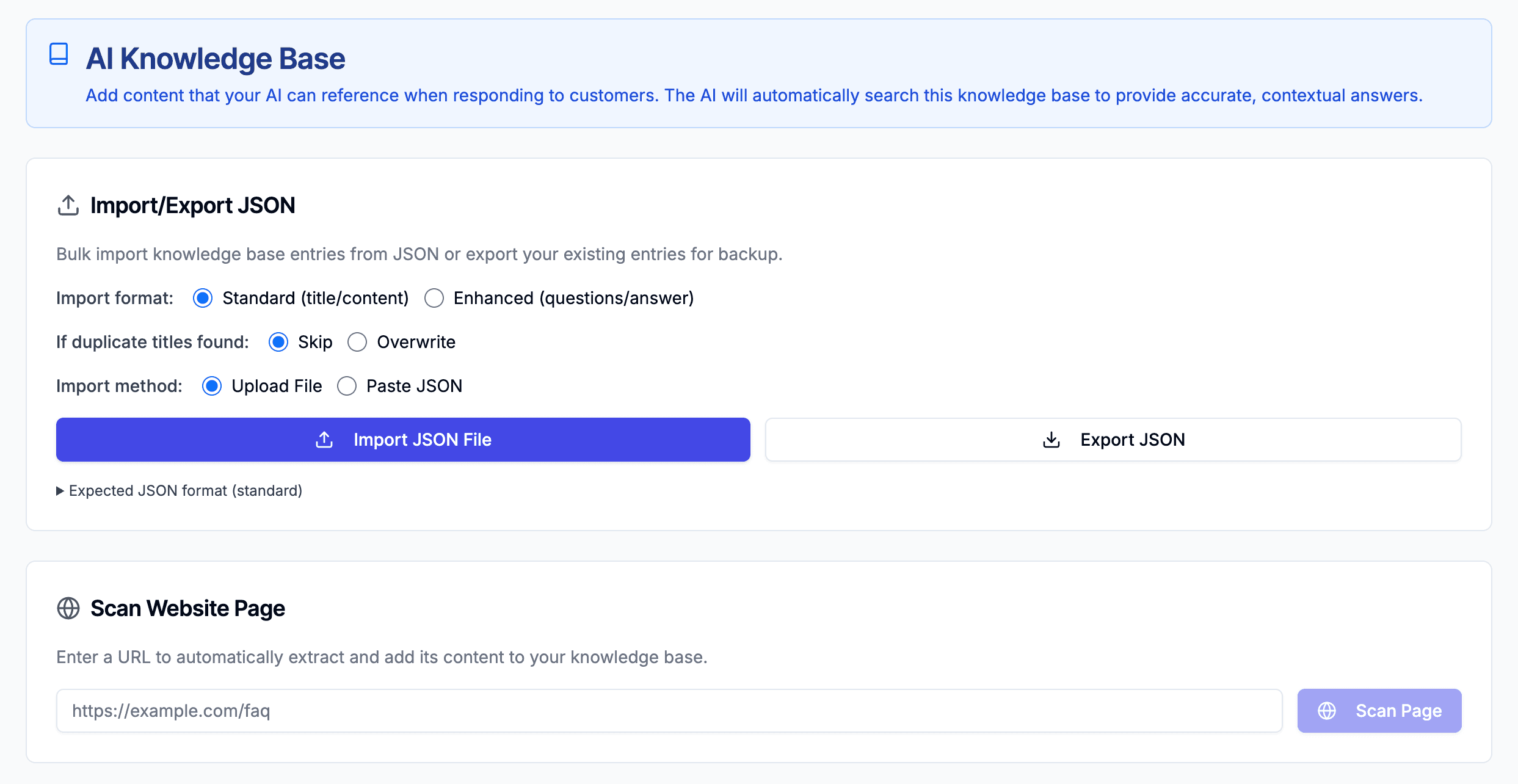
The AI knowledge base settings, offering bulk JSON import and a scan-a-website-page tool for adding content.
Build the knowledge base by scanning a URL or importing entries in bulk.
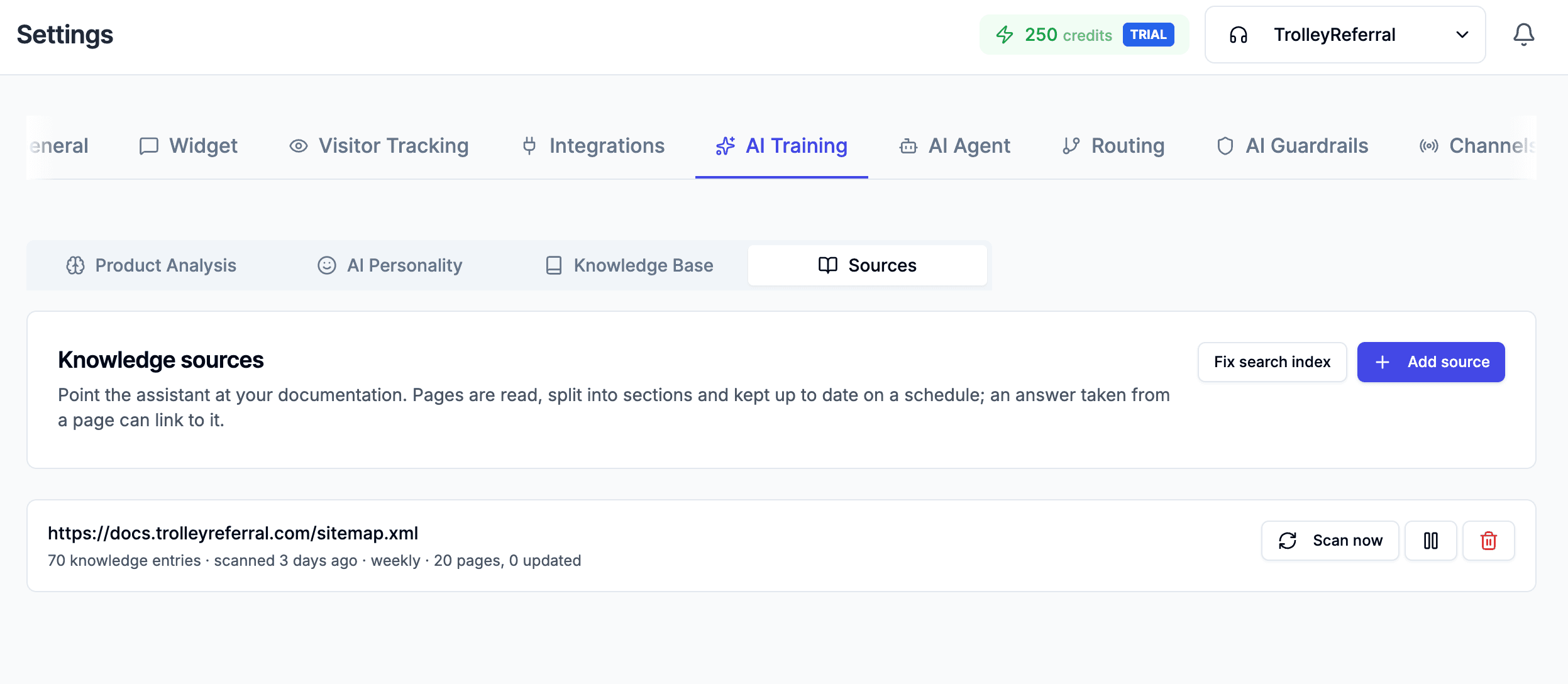
The AI training settings, showing tabs for product analysis, AI personality, knowledge base and sources, with a documentation sitemap holding 70 knowledge entries rescanned weekly.
Sources are rescanned on a schedule, so answers do not go stale when you update a page.

What you get

Live chat now. More channels coming.

AI first reply

Answers from your own content, instantly, at any hour, in whichever mode you set up.

Human handoff

Assign, ticket, or take over mid-thread with the whole history in front of you.

Live visitors

See who is on the site and what they are reading, and open the conversation first.

Booking

In sales mode, the appointment is booked in the conversation rather than behind a form.

All of that is live chat on your own site, which is where most of the lost conversations happen. SMS, email, WhatsApp, Instagram and Facebook Messenger are being built. When they land they join the same inbox and use the same knowledge base, so nothing you set up now has to be redone.

Questions we get

Before you ask.

Which inbox should we use?
Product if you sell things online and the job is getting the right item in front of someone. Helpdesk if the job is answering customers you already have. Sales if the job is working out whether a visitor is worth talking to and getting the meeting booked. Most companies know within a sentence which one they are.
Can we build our own front end?
Yes. The helpdesk widget is a drop-in embed if you want the quick version, and there is a guide for building your own against it if you would rather the chat looked and behaved like the rest of your product.
Will it make things up?
It answers from your own content: documentation, product data and whatever you put in the knowledge base. Guardrails set what it may and may not discuss, and anything outside that is routed to a person rather than guessed at.
What happens when it cannot help?
It hands over. A conversation can be assigned, turned into a ticket, or picked up mid-thread by someone on your team with the whole history in front of them. The AI can be switched off per conversation.
How long does it take to set up?
The knowledge base can be built by pointing it at your site or your docs and letting it scan, or by importing entries in bulk. Sources are rescanned on a schedule, so an answer does not go stale the first time you update a page.
Which channels does it cover?
Live chat on your own site. SMS, email, WhatsApp, Instagram and Facebook Messenger are in production.
Do we have to be a client to use it?
No. It is sold on its own, with no engagement and no minimum spend.

Stop losing people who already found you.

No engagement required. Plenty of people use one and never speak to us about anything else.
